

Accounts and currencies
Organize multiple accounts by broker, strategy, or trading style, each with its own rules.
Split your trading the way that makes sense to you.
Multiple accounts
Create separate accounts by broker, strategy, or currency. Each account has its own metrics, and you also see everything consolidated in a single view.
Unlimited accounts are part of the Premium plan. Free includes one account and Trader includes two.
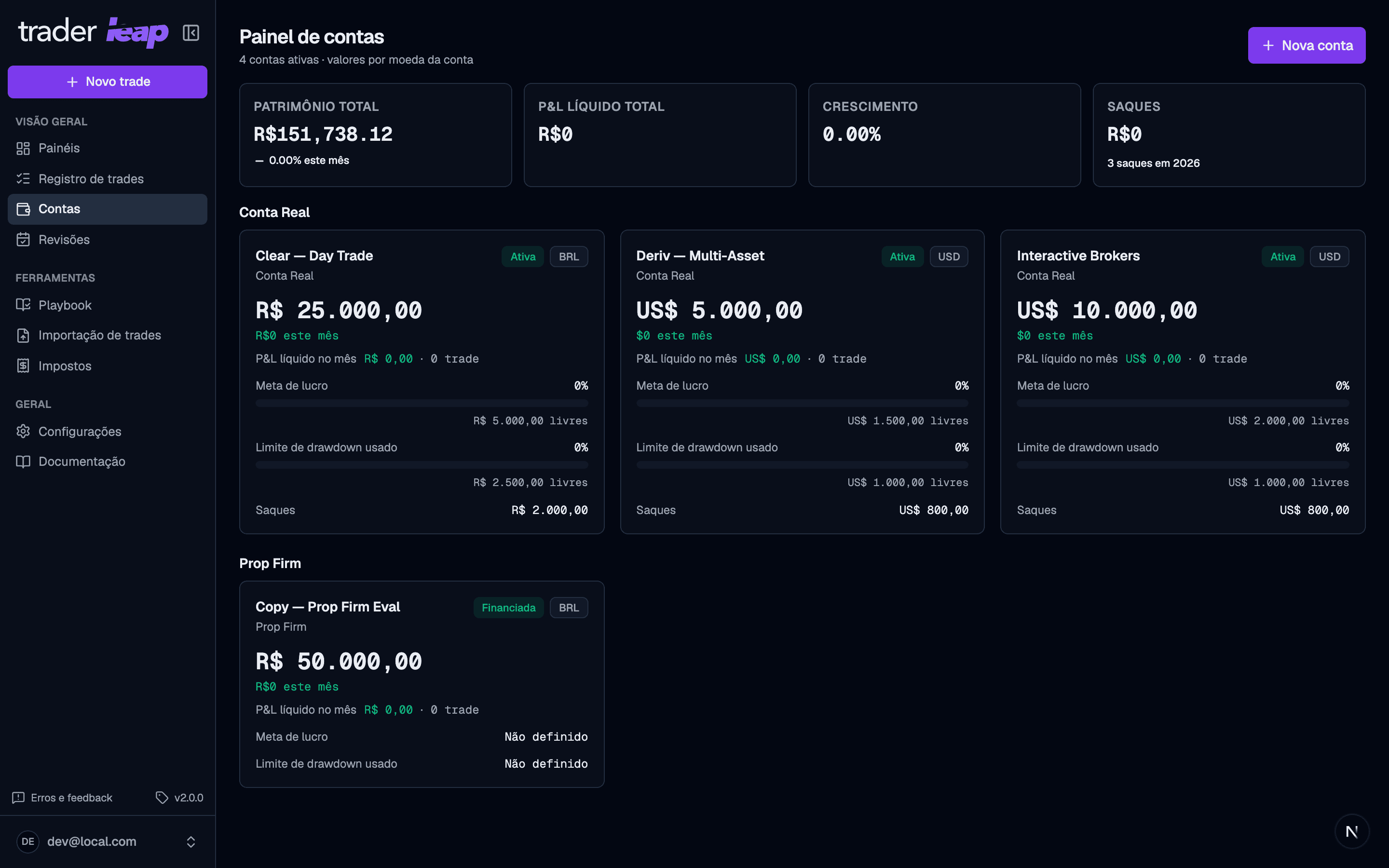
There are three account types:
- Real: your own capital at a broker, with real deposits and withdrawals.
- Prop firm: a proprietary trading program, with targets and risk limits.
- Simulator: no real capital, for practicing or validating a strategy.
Account detail
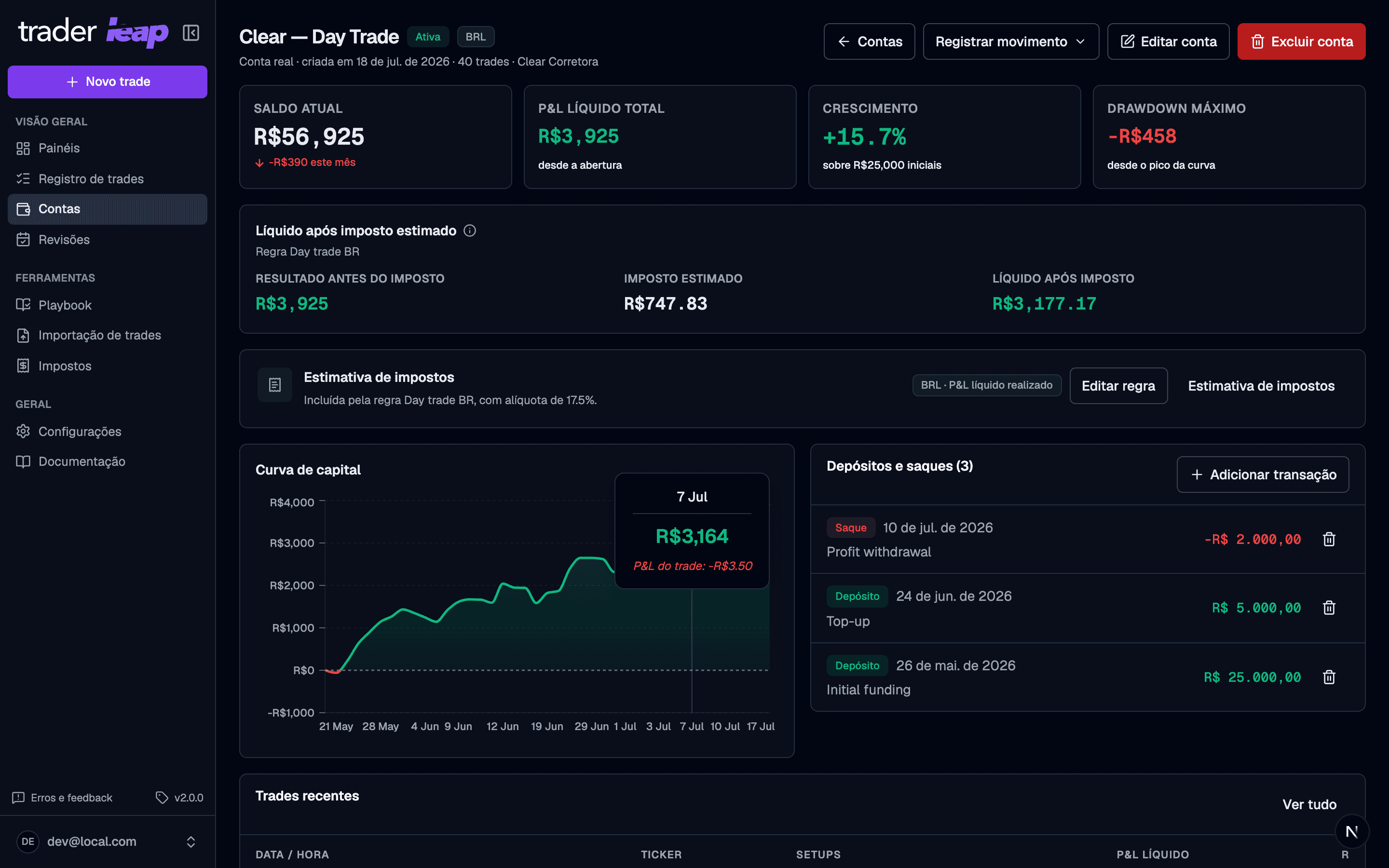
Open an account to see its balance, P&L, tax estimate, and equity curve, all in the account's own currency.
Risk limits
Any account — real, prop firm, or simulator — can have a profit target and a drawdown limit. The drawdown type decides where the floor is measured from:
- Fixed: the floor is the starting balance minus the amount you set, and it doesn't move.
- End-of-day trailing: the floor follows the highest daily closing balance and never rises above the starting balance.
- Manual: the floor comes from the manual drawdown snapshots you enter in Edit account, for when the firm recalculates the limit on its side.
The account card and the Home risk widgets read these limits.
Prop firm only: what the drawdown is measured on. Firms disagree about this, and the difference decides an account. Set it in Drawdown measured on:
- Realized balance: your firm counts only what you closed. That is the number Trader Leap shows, so the reading is exact.
- Equity, open positions included: your firm counts open positions live. Trader Leap holds no live prices, so it still counts closed trades only, and it says so on the drawdown card instead of presenting the figure as final. While you are holding a position, your firm is reading a different number.
The daily loss limit
The rule most likely to end a funded account inside one session gets its own card, beside the drawdown, on the account detail. Set the daily loss limit and the card tracks the session's realized result against it, turning cautionary, then critical, then breached. A breach reads as its own state: at 100% the account is gone, and "critical" should still be something you can act on.
Realized is the honest word: valuing an open position needs live prices, and your firm counts open positions against the limit. On a day when positions are still open, the card says how many and says exactly that, instead of letting a full allowance read as safety.
The same limit is a plan target: when the day can be judged, the Debrief scores whether you stopped where you said you would, and says so when it cannot. Set it at account creation or in Edit account; clearing the field removes the rule rather than keeping the last number.
Prop firms
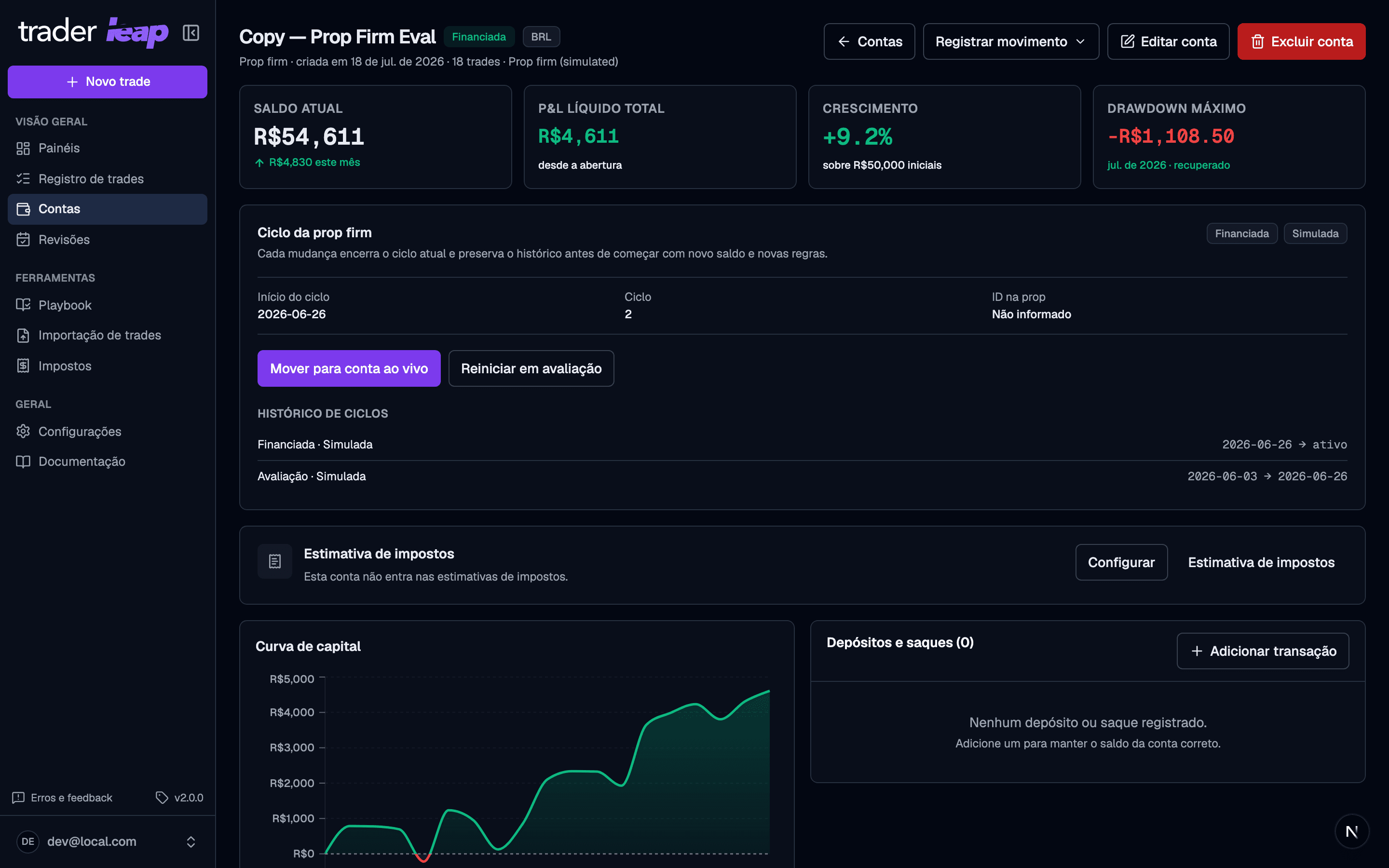
A prop firm account tracks a continuous sequence of cycles: evaluation → simulated funded → optionally live funded. When you pass the evaluation, restart into a new evaluation, or move to a live account, Trader Leap closes the current cycle and opens a new one with its own balance and rules. Nothing is overwritten; the full cycle history is preserved. Each cycle carries its own rules (drawdown, daily loss limit, profit target) plus the program's monthly cost, so what the firm charges sits beside what the account earns.
Copy trading
On the Premium plan, you can enable copy trading when editing an existing account: it starts mirroring another account's trades automatically, at a multiplier you set. Copies are computed on the fly, never saved — edit a trade on the base account and every copy updates instantly. That's also why a copying account doesn't appear in the manual trade entry selector: there's nothing to log directly on it.
Base currency and conversion
Set the base currency your results are consolidated in. Traded in another currency? Trader Leap converts it to your base currency in the consolidated view.
Timezone and cutoff
Every account respects your timezone and trading-day cutoff, which keeps the trading day correct for day trades, swings, and scalps.
Account security actions, like changing your password, ending other sessions, or deleting your account, live in Settings > Account, not here.