

Playbook
Turn every setup into a process with rules, not just a name.
The Playbook is where you define the setups you actually trade, with clear rules instead of a loose label on the trade.
What makes up a setup
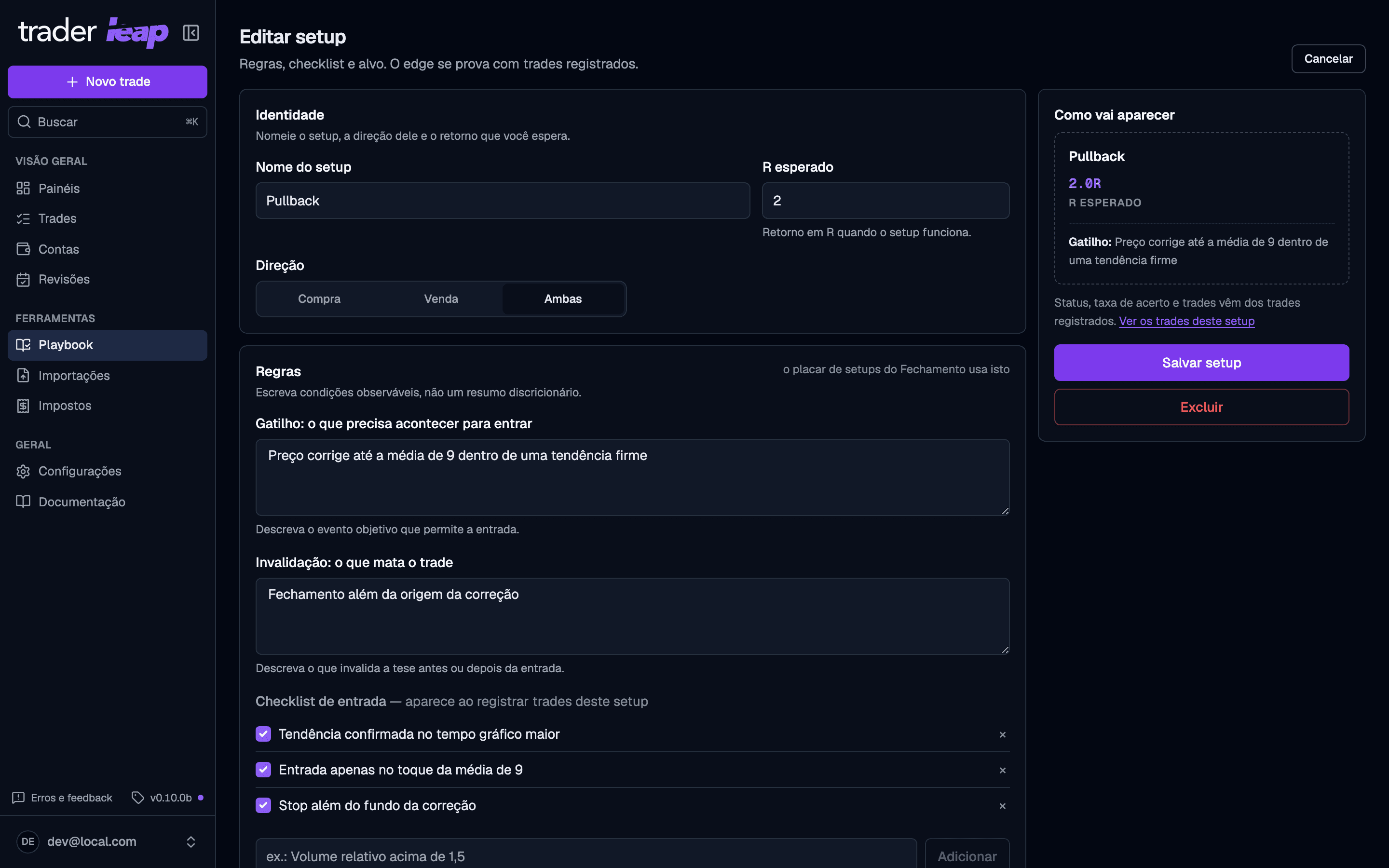
- Name and Expected R: the return in R when the setup works.
- Preferred direction: long, short, or both.
- Trigger: what must happen for you to enter.
- Invalidation: what kills the thesis, before or after entry.
- An optional entry checklist, which you confirm before the entry and score again in the trade's review.
- Up to 8 example images of the ideal pattern, on the Trader and Premium plans. On Free, the setup keeps just the rules.
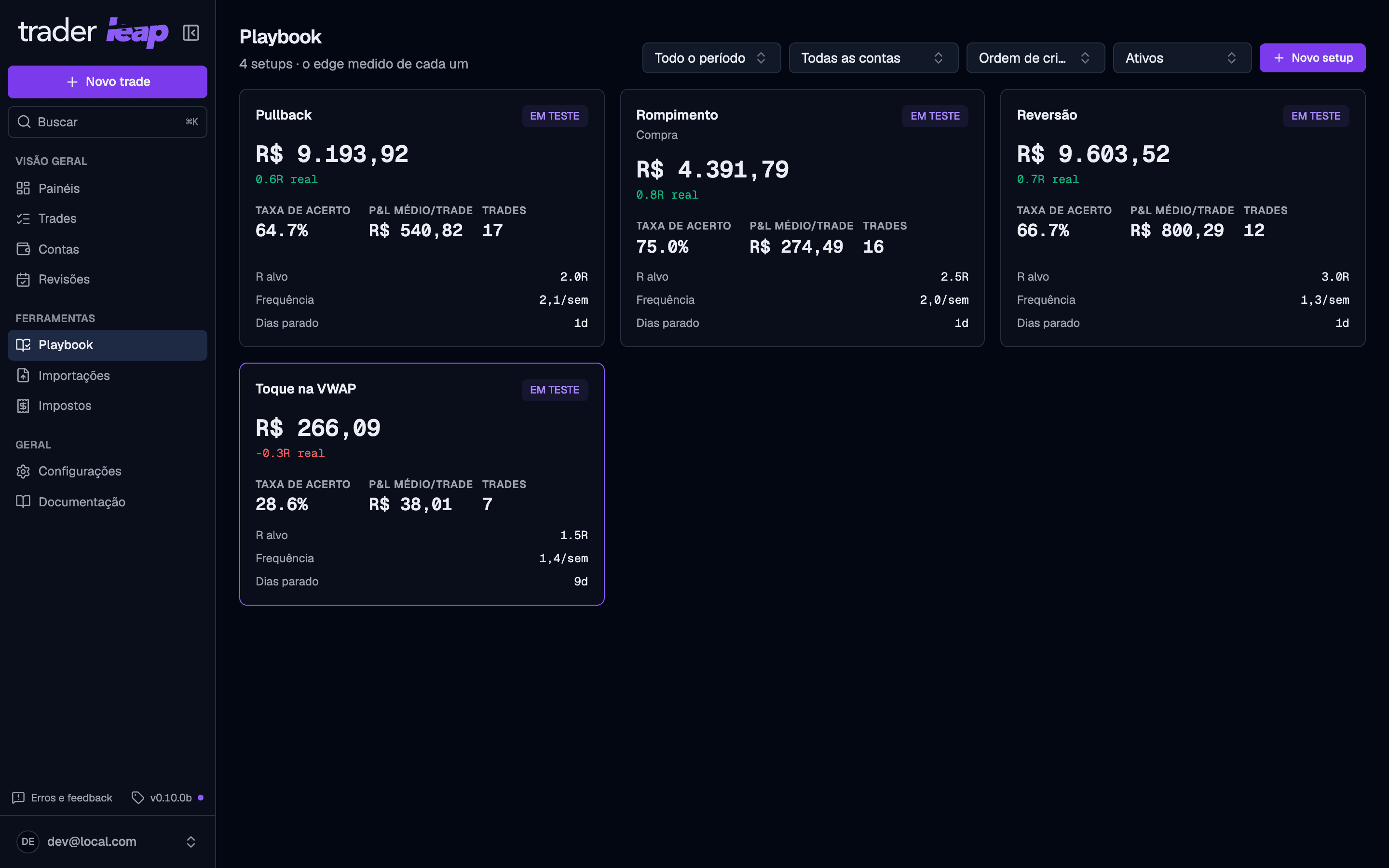
How a setup is written
Write the trigger and the invalidation as observable conditions, not a discretionary summary of what you "felt" in the moment. That objectivity is what later lets you compare the actual trade against the rule.
From testing to positive expectancy
Every new setup starts as Testing. It becomes Expectancy positive after 40 or more trades with expectancy above zero, and Expectancy not positive after 20 or more trades that never got there. The sample decides, not your opinion of the setup.
Each setup's card carries what its trades say: net P&L, expectancy, win rate, average P&L per trade, number of trades, how often you trade it, and how many days it has sat idle.
Setup, custom field, tag, or mistake?
Easy to mix up the four, but each serves a different purpose:
- Setup: the process, with rules, a checklist, and examples. It's what you confirm before the entry and what the Debrief's setup scoreboard evaluates.
- Custom field (in Settings > Customization): a free attribute you created yourself, like a confluence or a market condition. No rules, just one more data point to filter and cross-reference later.
- Tag and mistake: free labels, with no rules and no statistics beyond the count. You add them in the trade's review, not on the trade form.
Use setups to describe how you trade, custom fields for what you noticed, and tags/mistakes for quick labeling.