

Settings
Adjust language, trading rules, journal fields, and your plan in one place.
All Trader Leap personalization lives in the settings, organized by tab.
General
- Language, base currency, and timezone: the foundation for everything else.
- Theme: light or dark.
- Privacy: mask sensitive numbers when sharing your screen.
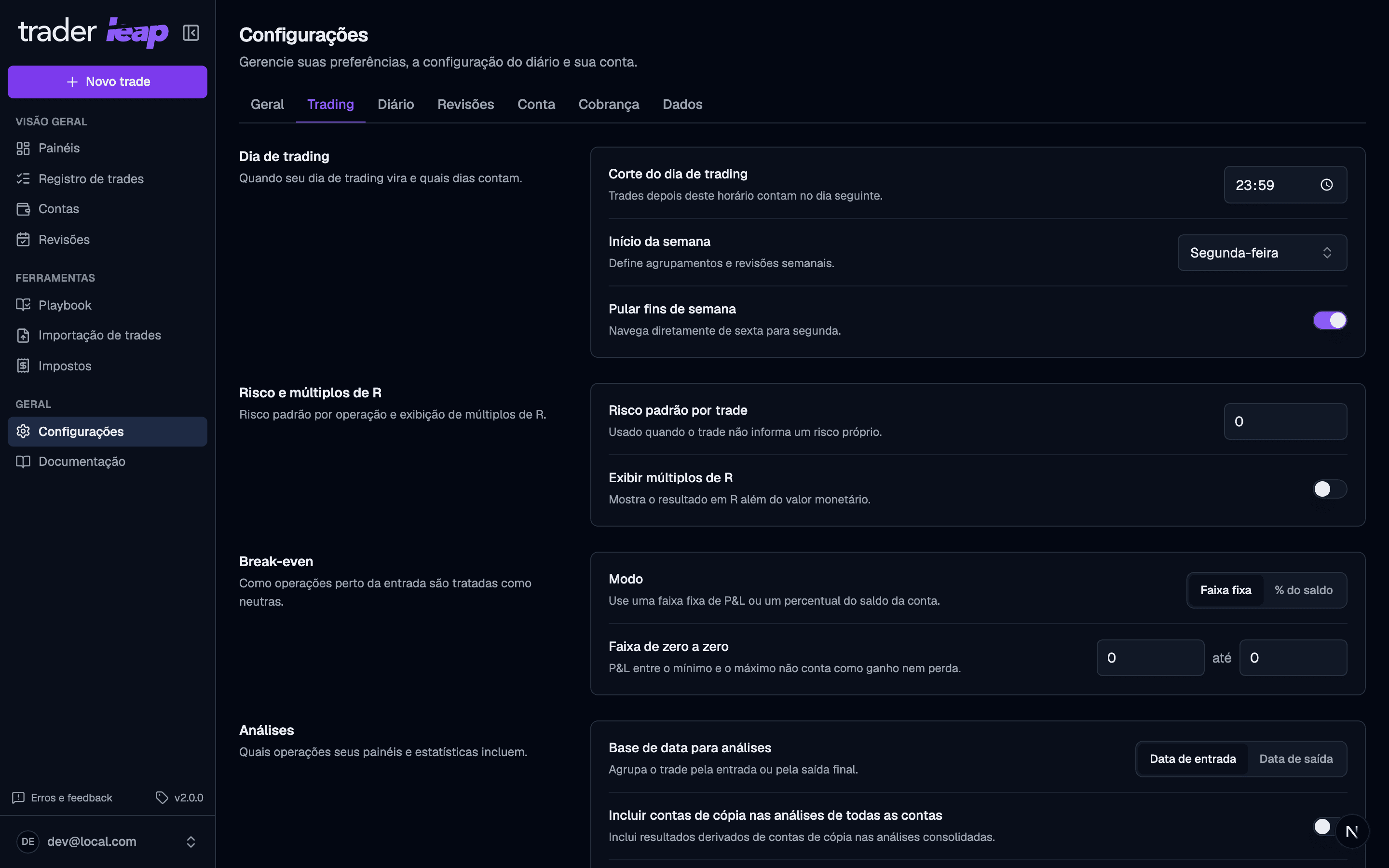
Trading
- Trading-day cutoff: the time when one trading day rolls over to the next, which keeps day trades, swings, and scalps correct. Set it to when your session actually ends and the Home board will ask for that day's Debrief once it passes, instead of all day long.
- Risk and R-multiples: the default risk suggested when logging a new trade, and how R is computed from it.
- Break-even mode: defines when a trade near your entry counts as neutral instead of a win or loss, which changes how it enters your Analytics.
- Analytics date basis: whether your dashboards group trades by entry date or exit date.
- Trade entry: defaults for how you log, what the form opens with.
- Instruments: contract specifications and symbol mappings used in P&L and imports.
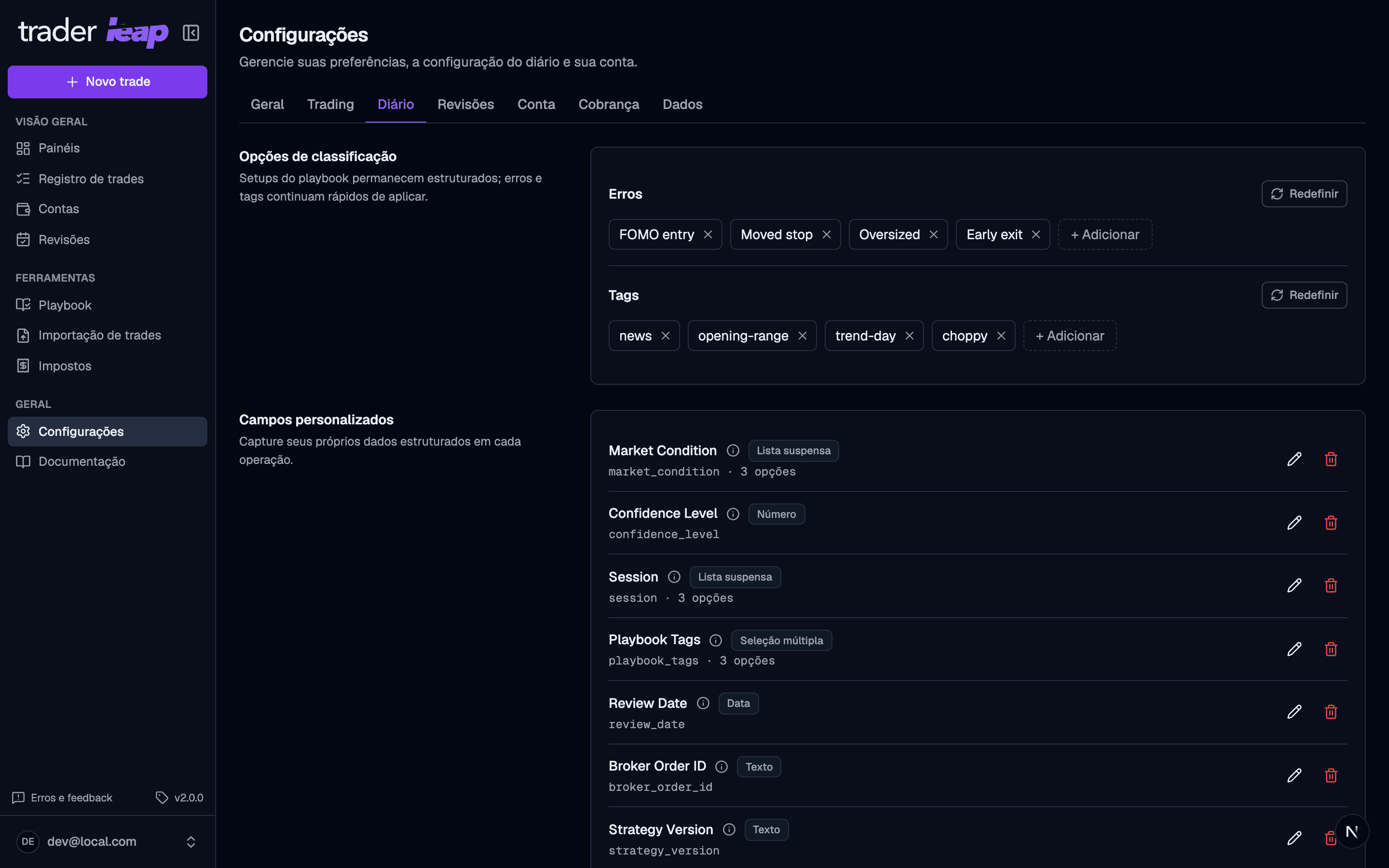
Customization
- Mistakes and tags: the lists you pick from when you review a trade. Setups don't live here; they have rules, a checklist, and their own statistics in the Playbook.
- Custom fields: capture whatever is specific to your strategy.
Reviews
- Review lists: recurring goals and checklists, ready in every new review.
- Daily and weekly plan defaults: what a fresh Plan opens with.
- Measurable targets: default limits (max trades, loss caps, risk per trade) that the Debrief scores against what you actually did.
- Reflection and routine: end-of-day prompts, and how quiet days count.
- Review fields: add extra questions or data points to your notes.
See how these defaults play out in practice in Reviews.
Account
Password, email, and account deletion live in the Account tab. See the step by step in Security and account.
Plan and billing
You start on the Free plan and upgrade when you need more. No lock-in: change plans or cancel anytime, and Free stays free. See what each plan includes on the pricing page.
Data
- Export: your data is yours, take it as CSV or as a JSON backup.
- Reset preferences: returns settings to their defaults without touching trades, accounts, or reviews.
Preferences like theme, language, and break-even mode save on their own as you change them. Lists — setups, custom fields, review fields, instruments, goals, and checklists — have their own Save button; leaving without clicking it discards your edits.