

Logging trades
Log trades with separate executions, a planned stop and target, the pre-trade setup check, and a summary that computes everything in real time.
Every logged trade keeps the whole story: executions, plan, context, and result.
Manual entry
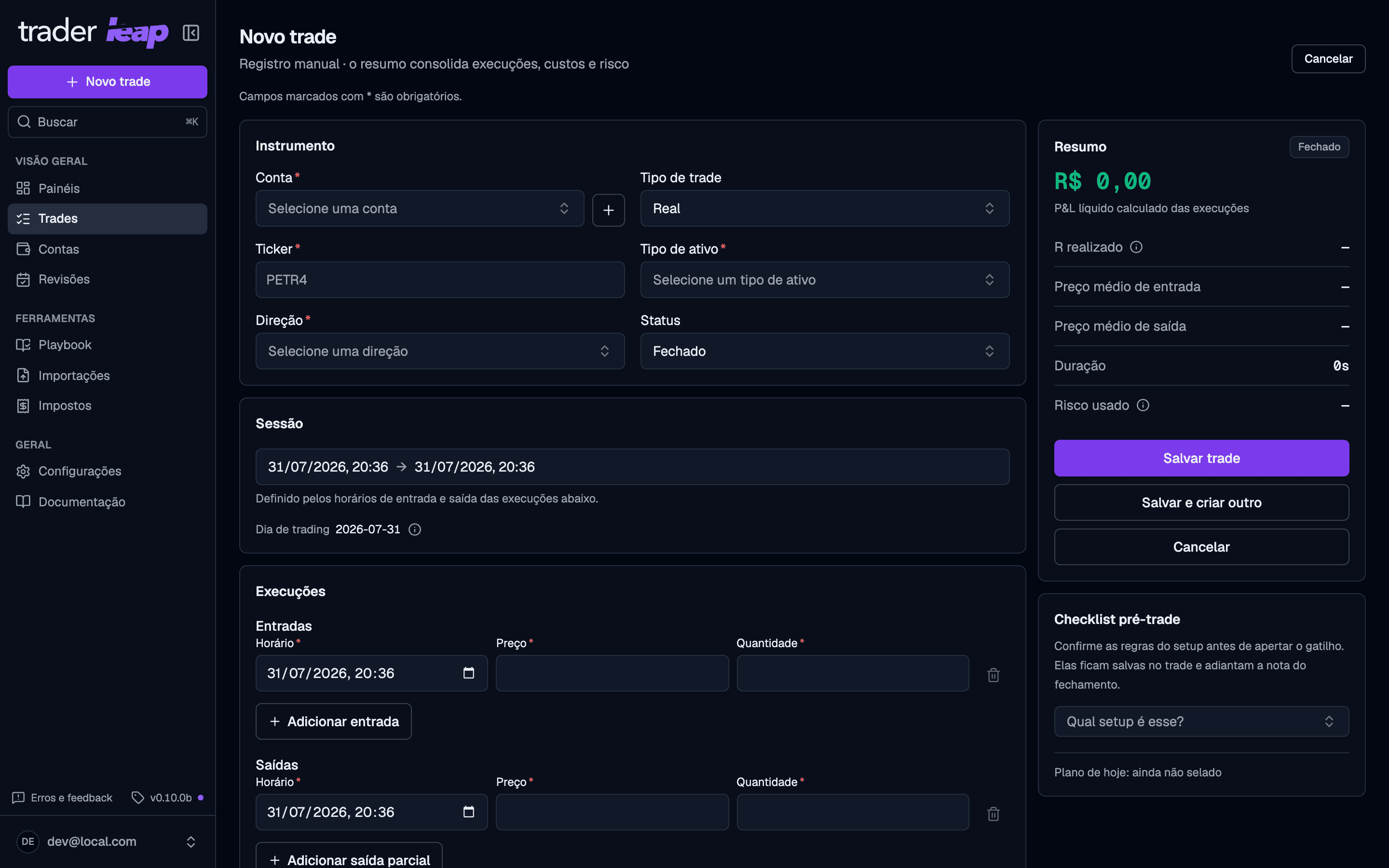
When you open a new trade, you fill in the account, trade type, ticker, asset type, direction, and status, plus the entry and exit times.
- Executions: entries and exits are separate, repeatable rows, so partial entries and exits at several prices go in exactly as they happened, with no forced average. A position closed in pieces across more than one session books each piece on the day it closed, so no single day wears the whole result.
- Planned stop and target: accepted as a price, points, ticks, or a percentage; Trader Leap normalizes everything to a single price. They only become real executions once they actually fill.
- Live summary: a panel beside the form computes net P&L, realized R, average entry and exit price, duration, and risk used, updating as you fill in the form.
The pre-trade check
Beside the form sits the setup you are about to trade, pulled from your Playbook. Pick it, tick the rules you can confirm before the entry, and both are saved with the trade. That confirmation is what you claimed before knowing the outcome, and it stays separate from the assessment you make afterwards in the trade's review.
The card belongs to the new-trade form. Editing an old trade keeps the setup it already has; to change it, open that trade's review.
Custom fields and images
If you define custom fields in Settings > Customization, they get a section of their own in the form. On the Trader and Premium plans you can also attach images to the trade, like chart or order book screenshots.
Mistakes, tags, and notes belong to the review
None of them are fields on this form. Everything that interprets the trade after the fact lives in its review: mistakes, tags, the thesis, and the lesson you keep. The review opens from the trade log, from the trade's own page, and from the day's Debrief, and the form points you there. See Reviews for how the pass works.
Find any trade later
With everything logged, you can find any trade in seconds: filter by date, symbol, account, tag, or result, and open the full entry when you need the story behind it.
Monthly limit
There isn't one: trade logging is unlimited on every plan, Free included.
Have a large history to bring in at once? See Importing trades.